12 min read
CRM Software for Small Business: Compare Time-to-Fit
Compare CRM software for small business by setup effort and time-to-fit. Assess Squario, Zoho, Freshsales, Pipedrive, and FreeCRM.com before choosing.
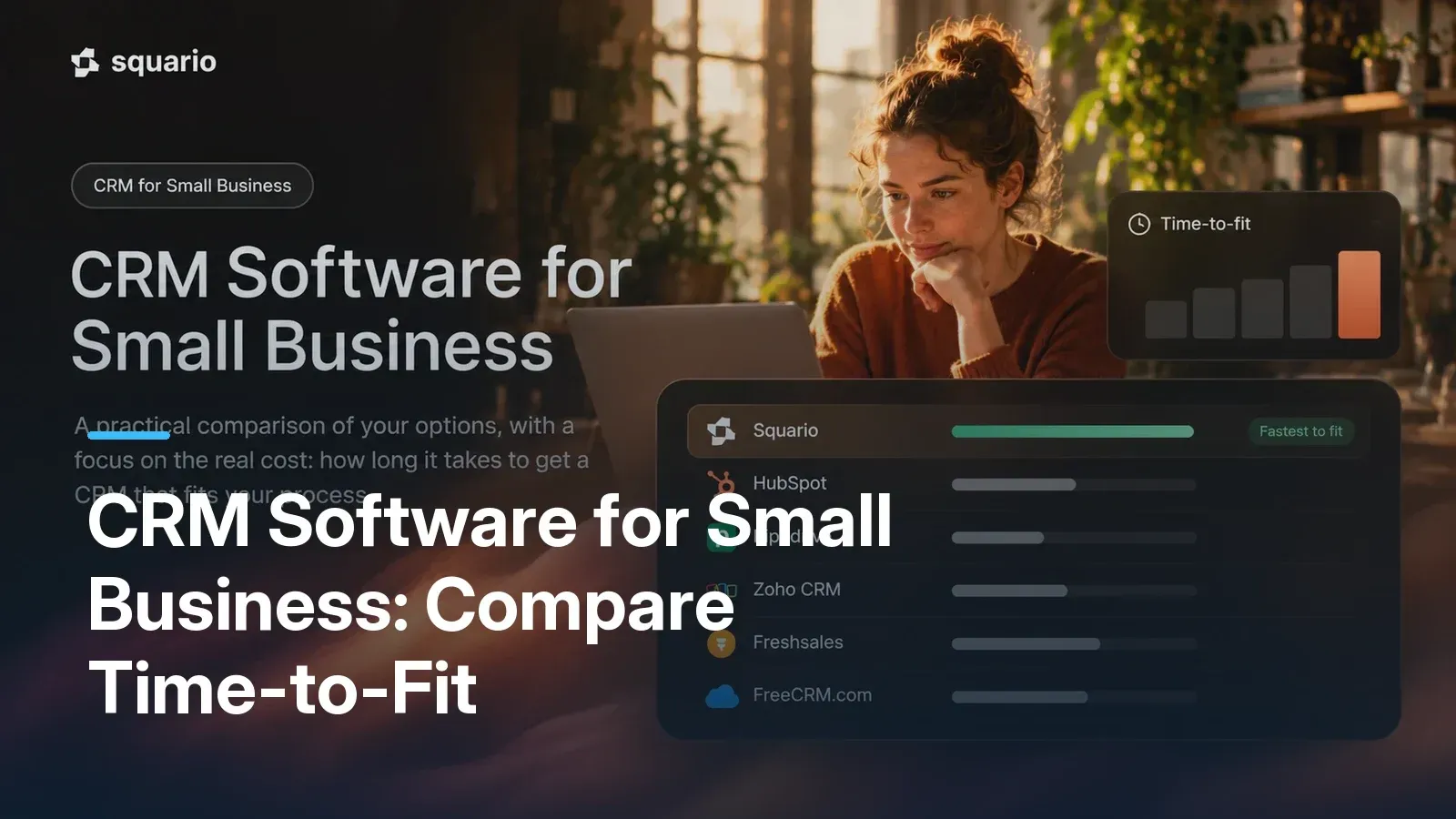
Most lists of CRM software for small business compare the same tools on the same feature checklist. That helps less than it seems to, because nearly every tool can store contacts and move a deal across stages. What differs is how much work stands between signing up and a system your team actually uses.
I used to work as a freelance CRM consultant, setting up Pipedrive and HubSpot for small businesses. The license was never the expensive part. The expensive part was the setup: mapping a specific business onto generic objects, then keeping it all running. I now build Squario, so read the comparison below with that bias in mind. I have tried to keep it fair and to avoid claims I cannot support.
Here is the quick verdict table. I have left out third-party prices and setup timings on purpose, since I cannot verify them here and they change often.
| Option | Best for | Starting price | Setup effort |
|---|---|---|---|
| Squario | Businesses whose process does not match standard CRM objects | Free plan; paid plans from $29/user/month | You describe your business in a chat during onboarding and the AI builds the data model and pipelines; you review and refine |
| HubSpot | Teams that want a widely known, configurable CRM | Check current vendor pricing | Depends on how far your process departs from the defaults |
| Pipedrive | Teams focused on a sales pipeline | Check current vendor pricing | Depends on pipeline, field, and automation complexity |
| Zoho CRM | Teams building a shortlist from small-business roundups | Check current vendor pricing | Not measured here; run your own test |
| Freshsales | Teams building a shortlist from small-business roundups | Check current vendor pricing | Not measured here; run your own test |
| FreeCRM.com | Owners who only need a basic place for contacts and deals | Check current vendor pricing | Likely low at first; check what happens as your process grows |
| Spreadsheets | Very early stage, few deals | Tools you already own | Minimal upfront, growing manual work later |
How We Evaluate CRM Software for Small Business by Time-to-Fit
What time-to-fit actually measures
Time-to-fit is the time from signup to a CRM that holds your real records, follows your real stages, and gets used by your team every day. It is not the time to a demo account with sample data. It is also not the time to turn on every feature.
A small business feels this gap harder than a large one. There is no operations team to configure the tool and no admin to own it. The founder usually decides, and the same founder ends up doing the setup at night.
The five checkpoints we use
Each option below is judged on the same five checkpoints. They match the places where setup time disappeared in my consulting projects.
- Data model: can you represent the things you actually track (quotes, orders, jobs, projects), or only contacts and deals?
- Pipeline: can stages mirror your process, including steps after the sale?
- Automations: how much effort does it take to automate follow-ups, handoffs, and reminders?
- Data import: how painful is moving over spreadsheets or an older industry tool?
- Adoption: will a non-technical teammate log activity without a training day?
I also ask a sixth question that sits outside the list: who does the work? It might be you, a consultant, or the software itself. The answer changes the true cost more than any price difference.
Limits of this comparison
This is not a stopwatch benchmark. I did not time every tool on the same business, and I will not pretend otherwise. For tools I have configured for clients, I draw on that experience. For the rest, I say plainly that I have not measured setup.
Pricing and plan limits change, so confirm them on each vendor's site before deciding. The only price I state is for Squario, because that is the one I can confirm.
CRM Software for Small Business: Compare Named Options
Squario: describe the business, then refine
Squario is an AI-native, all-in-one CRM and ERP for small and mid-sized businesses. During onboarding you chat with an AI about how your business runs, and the platform builds your CRM and operations setup from that conversation. That includes a custom data model and objects, pipelines, projects with financial tracking, inventory, documents and e-signature, and automations.
It also includes a built-in AI assistant. The goal is to replace the CRM, the ERP, and the pile of spreadsheets with one system. There is a free plan, and paid plans start at $29 per user per month.
The time-to-fit argument is simple. Instead of you translating your process into someone else's objects, the system starts from your description. Think of custom CRM software that you shape by talking rather than by clicking through admin screens.
The trade-offs are real:
- An all-in-one platform is more than you need if all you want is a contact list.
- You still have to review what the AI builds, because it only knows what you tell it.
- I will not claim a specific setup time here, since it depends on your business and how clearly you describe it.
HubSpot and Pipedrive: the ones I configured most
HubSpot and Pipedrive are the two tools I set up most often for clients. In practice the work was almost never "install the CRM." It was deciding which stages matched how the client really sold, which custom fields to add, and which automations were worth building.
That work is valuable when done well, and it is the main reason a CRM project overruns. If your sales process looks like the tool's defaults, setup can be light. If it does not, expect the configuration, and possibly a consultant, to become the real cost.
I will not rank these two against each other on features. Their fit depends on your process, your budget, and how much you want to configure yourself.
Zoho CRM and Freshsales: on the shortlist, not measured here
Zoho CRM and Freshsales show up regularly in small-business CRM roundups, so many owners end up evaluating them. I have not timed a setup on either, so I will not score them on time-to-fit or describe what they can or cannot do.
If they are on your shortlist, put them through the same test described later in this article. Use your own deals and your own fields rather than a vendor's sample data.
FreeCRM.com and spreadsheets: the low-commitment end
Roundups describe FreeCRM.com as a basic CRM option for small businesses. A basic tool can be a sensible starting point if your process is simple and you mostly need a shared record of customers and deals.
Spreadsheets sit at the same end of the range. They cost nothing to start and fit any shape of data, which is why so many 5 to 20 person companies still run on them.
The cost shows up later. Version drift, missing history, and manual follow-ups grow with every new customer. If you are already feeling that, the question is not whether to move, but how little setup you can get away with.
Compare Setup Needs Across Small-Business Workflows
The right CRM depends less on company size than on the shape of your work. Here is where setup time tends to go in three common small-business models.
Agencies and consulting firms
A services firm does not stop at "closed won." The deal becomes a project, the project has a budget, and someone must track hours, fees, and invoices against it. A standard sales pipeline covers the first half of that story and leaves the second half in spreadsheets.
When you assess CRM software for service businesses, ask three questions:
- Can a won deal create a project record that stays linked to it?
- Can you track financials on that project without exporting data?
- Can the proposal and signed agreement live on the same record?
Distributors and wholesalers
Wholesalers sell repeatedly to the same accounts, often with several buyers per account, negotiated terms, and stock to consider. A pipeline built for one-off deals fits awkwardly. The things you care about, such as reorders, product lines, and quotes, usually do not have a native home.
This is where the data model matters most. If you cannot create your own objects and relationships, you end up forcing orders into a "deals" field or keeping a parallel spreadsheet. Look at how a tool handles custom data models before you commit, because that is where time-to-fit is won or lost.
Make-to-order manufacturers
Made-to-order work means every quote carries specifications, and the sale is only the start of a production process. You need to track the job after the customer says yes: materials, status, documents, and approvals.
Generic CRMs typically stop where the order begins. So the setup question is whether the tool can extend past the sale, or whether you will bolt on a second system. Two systems mean double entry, which is exactly the duplicate-data problem many owners are trying to escape.
Where setup time hides
Across all three models, the same hidden costs appear. Check them before you pick a tool:
- Custom fields: every extra field is a decision, and someone has to maintain it.
- Automations: they look simple on a vendor page and get complicated once real exceptions appear.
- Imports: messy spreadsheets need cleaning before they go into any system.
- Permissions: deciding who sees what takes longer than expected, even with 10 people.
- Training: a tool nobody opens is a failed setup, however well it was configured.
Choose a CRM That Fits Without Overbuilding
A short test before you commit
Do not judge a CRM from its marketing page or a guided demo. Run the same small test on every option on your shortlist.
- Write down ten real deals or jobs from the last quarter, including the messy ones.
- List the records you track beyond contacts and deals (quotes, orders, projects, assets).
- Build your actual pipeline, including steps after the sale.
- Import a small sample of real customer data from your spreadsheet.
- Ask one teammate to log a deal without help, and watch where they get stuck.
Note how long each step takes and who had to do it. That gives you a time-to-fit estimate grounded in your own business rather than someone else's benchmark.
Common overbuilding traps
The opposite failure is just as common. Once a tool is flexible, it is tempting to model everything on day one. I have seen small teams spend weeks on a perfect setup, then abandon it because it was too heavy to use.
- Start with one pipeline. Add a second only when a real process demands it.
- Add fields when someone asks for the data, not when you imagine needing it.
- Automate the follow-up you forget most often, and leave the rest manual until the pattern is clear.
- Keep the team's daily screen simple. Reporting can wait until the data is trustworthy.
Side-by-side recap
This table summarizes where each option tends to fit. For third-party tools it reflects my consulting experience or what roundups say, not measured benchmarks.
| Option | Where it fits | Watch out for | Best-fit use case |
|---|---|---|---|
| Squario | Chat-based onboarding builds a custom data model, pipelines, projects, inventory, documents, and automations in one system | More than you need for a simple contact list; you must review what the AI builds | Agencies, distributors, and make-to-order manufacturers with processes that standard objects do not fit |
| HubSpot | Configurable CRM I have set up for clients | Setup effort grows as your process departs from defaults | Teams with a fairly standard sales process or a consultant available |
| Pipedrive | Pipeline-focused CRM I have set up for clients | Fit for post-sale work such as projects and inventory needs checking | Teams whose main need is tracking deals through stages |
| Zoho CRM | Common in small-business roundups | Setup effort not measured here | Shortlist candidate to test with your own deals |
| Freshsales | Common in small-business roundups | Setup effort not measured here | Shortlist candidate to test with your own deals |
| FreeCRM.com | Described in roundups as a basic CRM | Check whether it keeps up as your process grows | Owners who need a simple shared record |
| Spreadsheets | Flexible and already in place | Manual work and version drift increase with volume | Very early stage with few deals |
Verdict
There is no single best CRM software for small business, but there is a clear way to choose. If your process looks like a standard sales pipeline, a well-known configurable CRM can fit with modest setup. If it does not, the setup is where your money and weeks go, so weigh that above the license price.
For service firms, distributors, and make-to-order manufacturers with processes that feel too specific for standard software, I would test an AI-native option such as Squario first. The reason is not that it wins on features. It starts from your description of the business instead of a generic template.
Whichever tools you test, bring your own deals, your own fields, and one skeptical teammate. The CRM that gets you to a working system fastest is the one worth paying for.
Frequently asked questions
Can a small business use CRM software without a dedicated sales team?
Yes. A small business can use CRM software to organize customer details, track inquiries, record follow-ups, and coordinate service or account work, even without dedicated sales staff. Start with the customer interactions your team needs to see and act on. Then choose a system whose fields and workflows support those tasks without requiring every employee to use sales-specific features.
Can CRM software replace spreadsheets for a small business?
CRM software can replace spreadsheets when several people need a shared, organized view of contacts, conversations, tasks, or opportunities. It may also help reduce duplicate records and make follow-up ownership clearer, depending on the system and how it is configured. A spreadsheet can still be useful for one-off analysis or simple lists, so decide which information belongs in the CRM and which does not.
What should a small business check before importing customer data into a CRM?
Check that the records are accurate, permissioned for the intended use, and organized in a format the CRM can accept. Identify duplicate contacts, outdated details, inconsistent field names, and records that should not be transferred. Before importing everything, test a small sample and confirm that fields, notes, and relationships appear as expected. Keep an original copy of the data until the migration is verified.
Which integrations matter most in CRM software for a small business?
Prioritize integrations that remove repeated data entry or keep important customer interactions visible, such as connections to email, calendars, lead sources, or business tools your team already relies on. Check what information moves in each direction and whether the connection requires extra configuration or maintenance. Avoid adding integrations simply because they are available; each one should support a clear workflow.
How can a small business encourage employees to use its CRM?
Make the CRM part of a useful, simple routine rather than an extra reporting task. Agree on which customer details and activities employees should record, keep required fields focused, and show how the system helps with handoffs and follow-ups. Ask the people doing the work to test the workflow before expanding it. Review usage and adjust steps that create unnecessary effort.
When should a small business reconsider its current CRM?
Reconsider the system when recurring workarounds, missing capabilities, poor fit with essential tools, or confusing processes prevent the team from maintaining reliable customer records. First identify the specific problem and check whether a configuration change or clearer process could solve it. If evaluating another CRM, include data portability, migration effort, user needs, and the risk of disrupting ongoing customer work.